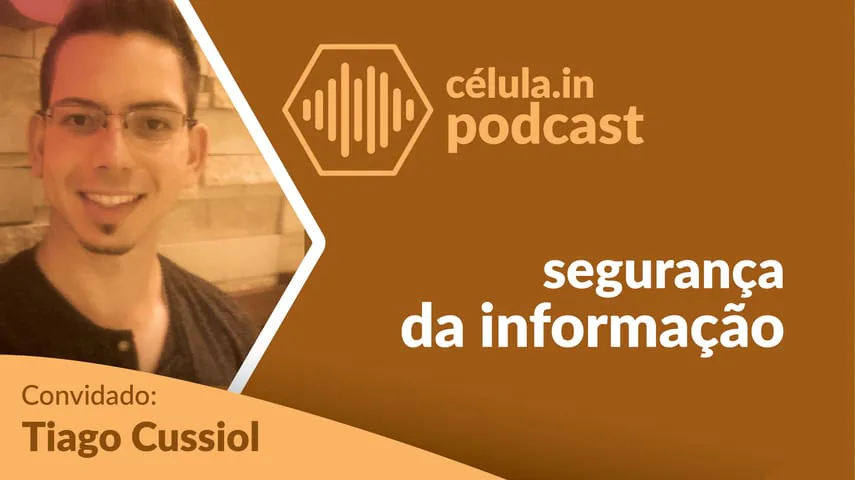
Presentation
Tiago is founder and CTO of TalkLead, founder of Plug CRM (sold to Digital Results), and a degree in computer science. In this episode we talked about information security.
Why do we need to pay attention to the passwords we use? How not to risk losing photos and videos? What do companies do with our personal data?
Tiago helped us to understand a little more what happens with our information on the web.
Summary
Reusing a password is the mistake that opens every door at once: one service leaks and the other accounts are exposed. The recommendation from Tiago, founder and CTO of TalkLead and a computer science graduate, in this célula.in Podcast interview, is a long, random password, different for every service, kept in a password manager, with two-step verification wherever it is offered.
You can spot a careless service without understanding technology. If you ask to recover your password and the site sends the password itself instead of a link, it is being stored unprotected. And an address starting with http, without the s, does not protect what travels, which matters even more on public wi-fi.
On files, the rule they repeat in the conversation holds: whoever has one backup has none. Photos and documents need to sit in more than one place, copied automatically, because what gets lost is usually the very thing that could not be lost.
The last part deals with what companies do with personal data, under GDPR and the Brazilian data protection law. Legitimate collection tells you what is collected and why, and lets you say no. When the service is free, he reminds us, the product tends to be the user, hence the warning about apps asking for permissions unrelated to what they do.
Listen to it at:
Listen to it at:

Fabrício: Tiago, tell us: why should I never, under any circumstances, reuse a password?
Tiago: Reusing a password simply increases the chance of suffering an attack, of having your accounts broken into. It comes down to this: if your password was discovered on a single service, it could be used to get into every other account that shares that password.
Fabrício: So that password I took ages to build, that I liked, that I memorized, that I think is really strong and secret, if I use it on more than one service all that memorizing was for nothing?
Tiago: Exactly, because if one of those services is breached or leaks some data of yours, your super secret, super secure, carefully crafted password is out in the open for anyone who wants to use it. And if you use that same password on the other services, all your work is gone.
Fabrício: I should have heard this advice in the early days of the internet, because back then, when the computer arrived at home with dial up internet, my password was a strange one. I would not say it was hard, but it was strange. And I used it for everything, absolutely everything.
Alexander: I actually went through a shift. I have reused passwords, obviously, I think everyone has. But there was a phase when I had one password for useless services, for sites I was signing up to that did not matter, so I felt I could repeat it there.
Tiago: Those are a problem, in fact, because those sites usually have weaker security, and the chance of your information leaking is higher. And you are not only putting a password there: you are putting in an email, your name, some other piece of information.
So if you have a shared password that can be cracked or leaked on some service, that person will be able to identify you on other services too.
Alexander: That is bad. And sometimes it is not only about capturing your information, but about impersonating you on those services.
Tiago: Exactly. And the password is not the best form of authentication: it is the easiest, but it is neither the only one nor necessarily the most secure.
There are three categories in the authentication process: something you know, something you have and something you are. Something you know covers passwords and personal information, like names, dates, documents, a PIN. Something you have is a token, like those little bank key fobs, the card with a grid of numbers, your phone, your house key. And something you are can include a fingerprint, a retina, your face.
Fabrício: And you can combine the three forms Tiago described. Two step authentication, for example, which some people are used to, like that Google app, Google Authenticator, or Authy, and others, where you enter your password and then, after that password, you have to enter a token. There you are combining something you know with something you have, and it is a way of making the identification a bit more secure.
It is a little like what the bank does. I am an Itaú account holder: I type my password and it asks for the token number in my app.
Tiago: That is exactly it. When you combine several authentication methods, you make it much harder for your accounts to be accessed.
Fabrício: But this is not only for banks: pretty much any service today already offers multi factor authentication, or two step authentication, so that on top of your password you add another layer of security, like the token, which is the most common, to make it harder for other people to get in.
If someone else has your password, they could simply type it in and get access; but they are unlikely to have both your password and your token, or your phone, or your fingerprint. So it adds an interesting layer.
And the advantage of combining the two, rather than using only the token, is that someone is unlikely to have what you have, whereas when there is a single step it is easier to forge that step. Even if it is something you are, like face recognition, or the iPhone fingerprint reader Tiago mentioned: if it is the only step, even then it is easier to break than when you combine it with others.
But then we hit the problem: I am going to have to remember a mountain of passwords. I will not have one single password, I will have my bank password, my email password, my blog password, a password for a pile of things. How am I supposed to keep all that? Does it not become unworkable?
Tiago: Right, and what happens is that people start using repeated passwords or creating insecure ones, which is not recommended either. You can create many different passwords, but if each one of them is weak you are still exposed to an attack.
So it is not advisable to create repeated passwords, nor insecure ones, like using words, a phone number, a name, a birth date or any easily obtained information. What is recommended is to create secure and different passwords for each service.
Alexander: I use a password manager. Is that valid? Is it safe to have all my passwords stored in a single service, in a single app? What are the risks?
Tiago: To keep several different, secure passwords, you have to write them down, because you will not remember them all. And to write them down, many people use paper, a notebook, or the computer. But if you store your secure passwords in an insecure way, you are still exposed to attack: anyone who sees your notebook will be able to get into your account.
And for that we have a better method, which is the password managers you mentioned. There is 1Password, LastPass, KeePass and several others. Essentially it stores your password in an encrypted, secure form and hands it to you when you need it.
Besides saving passwords, they also store other important information, like a credit card or an important note you need to keep. Storing things in that kind of service is recommended, yes, compared with the alternative, which is storing them insecurely.
Fabrício: And something worth stating is what makes a password secure: the more characters it has and the more random it is, the more secure it is. So, Tiago, you said you will not manage to remember all your different secure passwords for exactly that reason: if you really have one password per service and it is secure, it will be long and random, and very hard to remember.
Tiago: Exactly. For a password to be secure, it has to scramble a lot of information.
Fabrício: I have another method that some people use, which I have criticisms of, even though I use it in some situations. It is a way of creating a secure password that is not in fact completely random: you create unique passwords, one for each service you use, for each need you have, but you create a mental algorithm, a little mental rule, so you can work out the password for that service. With that you get a medium to secure password, and it is unique.
The problem is that, since it is not completely random and comes from a rule you created, even if only you know that rule, it is possible for it to be identified.
Tiago: Identified, exactly. If I discover your method, I can work out your password on a service you use far more easily.
Fabrício: Exactly. Creating a method is an interesting option, yes, but depending on the method you choose your password may be more or less secure. Its weakness comes from the password you end up generating and from a more personal attack. In other words: when the attack is generic, against a site or something of that kind, you would probably not be so affected by the rule, because the attacker is unlikely to discover the rule you created. But if the attack is aimed at you, then the method of creating a password from a rule may not be so appealing.
Tiago: And the method for creating a password like that works basically as follows: you take some pieces of information you know, information about the site, that sort of thing, and put it all together in a way only you will know.
So, for example, you can take the first three letters of the site's name, add a random number, 42, and the name of another person nobody knows. If you were logging into Facebook, you could use, say, F A C 42 João. And to make your password harder, you can decide that João will always be written in capitals and that there will be an exclamation mark at the end. Then, on another site you access using the same method, you get different passwords.
So that would be a fairly basic method for creating a password, but again, it is not a method I would recommend, because it is still not completely random. However much you try to mix upper case, lower case, numbers and some special characters like the dollar sign or the at sign, and that is already very good, it is still not completely random. To be completely random you would have to bang your hand on the keyboard or use a password generator.
And those passwords are much harder to memorize. That is why there are ways to store your password securely, which are the password managers: besides generating passwords using many characters, in a very secure way, they store your password encrypted on their servers. And when you need to use that password on a site, it simply retrieves it and lets you log in easily. And since it stores all your passwords, you do not need to memorize any of them.
Fabrício: Just commenting on those two things you said, Tiago: although using a method to create passwords is not ideal, it is already better than repeating the same password across hundreds of services. But it is not as secure as using a manager app.
On the other hand, it lets you log in from any phone or any computer, without necessarily having your own computer or phone with you. There is a certain inconvenience, small but real, when you use a password manager: you always have to have access to it in order to get into another service. So if you are traveling and something happens to your phone, and you need to access a service, it gets a bit more complicated. But it is also a way of having more secure passwords.
Tiago: Exactly. And you can think of it this way: since it is more complicated for you, it is more complicated for whoever wants to break in as well. So it is good complexity in this case.
Fabrício: And as you said, you do not need to have your computer, only your phone. And you can use an online service, which makes access from another computer easier.
On your usual computer, the one you always use, it even has the convenience of not needing to type the password at all: you simply click the Facebook icon inside the app and it opens, types your password and your login and connects, all without retyping your own password.
And these storage apps, are they secure? Are they far from leaking those details?
Tiago: They necessarily have to be very secure, because they will be holding sensitive information belonging to a great many people. They will undoubtedly be an attractive target for hackers and crackers who want to steal passwords. But because of that, the information is encrypted.
What does that mean? It means all the information is scrambled in a particular way, and only with your own password, the master password, the main one, can that information be unscrambled to produce the password you are going to need.
And the better the algorithm doing that encryption, the harder it is for your information to be exposed in readable form. Because if the server is breached, they will have access to the information but will not know what it means, they will not be able to recover the password: they will have only a pile of scrambled, jumbled information that makes no sense at all.
Fabrício: So that is a critically important layer in any service, including the site you are logging into. They normally need to have that security layer, encryption, to store your passwords.
One feature I like in the manager I use is that it alerts me whenever a given site has been breached. So, say Evernote suffered an attack, I get an alert telling me to change my Evernote password, because Evernote was attacked and information leaked. I find that very relevant, because if it depended on you finding out on your own which sites had been breached, you would never manage it.
And on top of that there are the extra services a password manager adds. There are several other possibilities: some let you change your password on many sites with a single button. So if you have many sites registered, many accounts with those random passwords, and you want to refresh them, to put another random password in place, with a single button it goes to every site and swaps the passwords for other random ones, without you having to do it one by one.
Tiago: That adds yet another factor, because the passwords keep changing over time without you needing to memorize the new ones, and the old ones get invalidated as well.
Fabrício: All right, I have a very secure password, strong, random, unique for every site I use. So how do I know, Tiago, whether the company is storing not only my password securely, but also taking care of the information I send it?
Tiago: To know how a company is storing your data, you will have to ask their support or read the contract, the terms of service, to see whether it says anything there. If it does not, there are some signs you can look at to tell whether they are taking the bare minimum of care with your data.
For example: if you request a password reset and, instead of a link or something random, your own password arrives, they are certainly storing your password insecurely.
Another way is to look at the link you are on: if it starts with https, it is secure; if it starts with http, it is not. What does https mean? It means all the information traveling between your browser and the company's server is encrypted. So if someone malicious gets in the middle of that exchange, they may manage to capture the data but will not know what it means, they will not be able to read what is being carried, not just your password but anything else. So using https on a site is critically important.
Fabrício: That is especially important when you connect from public wi fi, for instance at a coffee shop or a shopping center. Why? There is a type of attack called man in the middle, which is exactly interception along the way, between you, using your device, and the company's server. If you are on public wi fi, it is very easy to intercept that information when you are browsing a site running on http.
Then you think: but why should I worry, who is going to break in here? Sometimes your information alone is not interesting, but when someone is collecting information from many people, that can do real damage. So it is worth paying attention to these things, especially on free wi fi.
And one more note about using public computers: first, always log out. If you log in on a computer that is not yours, always remember that, because if you do not log out, the next person can carry on from where you stopped. Closing the tab is not enough, folks. Closing the tab, closing the browser is not enough, shutting the computer down alone is not enough: you really have to go to the site and click sign out, or whatever it says there.
Another thing is to avoid confidential operations, ones that need greater secrecy, on public computers. So if you can avoid getting into your bank's site, avoid it. In that case, favor your own 3G or 4G connection on your phone. Even if you are out, or there is a public computer in front of you, it is preferable to reach your bank over your own 4G than over a public computer using a coffee shop's wi fi.
Alexander: A question: does this apply to browsers, correct? And if I am using an app, is there a way to check whether the information it sends is secure or not, whether the app is malicious? Is there any way to check an app?
Tiago: With an app it gets more complicated, because you cannot easily verify how it is transmitting your data. Not everyone will be able to check that.
That said, when you use an official app, the intention is that everything you do in it is legitimate. But again, you remain exposed to the attack Fabrício mentioned, man in the middle, where the information is intercepted while being sent or received. And my recommendation in that case is to choose carefully which apps you use and type your password into.
There are some services where it ends up being somewhat safer, unfortunately, to use the browser, because you can see that information quite transparently, and in the app you cannot.
Fabrício: We had a problem some years ago with a Brazilian bank's app, and I will not name it here: it had a connection that was not encrypted, which was a serious security flaw. It has been fixed and it was a while ago, but look at that, a bank had a flaw like that. So it is a very sensitive matter, very important to stay alert.
It is one more point in favor of progressive web apps. And for anyone lost here: we recorded an episode about that kind of app, go and listen to it. So it is another point in favor of that app model.
Tiago: And to all the developers listening: an important point is that you can also encourage users to create secure passwords. For instance, do not allow passwords made only of numbers or only of letters; require an upper case letter, a lower case letter, some special character. The minimum number of characters for the password is also very important.
And do not allow common passwords. SplashData's 2017 report analyzed around five million passwords leaked on the internet and found that 10 percent of them, that is 500 thousand people, use the 25 least secure passwords. Among them are 123456, admin, login, starwars and hello. So it is important for the application to encourage the user to type a secure password.
Fabrício: One more tip for developers: please do not limit how many characters a password can have. That matters because, even when you create a very secure password, sometimes the site caps it at a very low number, and you end up with an insecure password because of the site's own limitation and not because of a choice of yours.
All right, we have talked about passwords, about the importance of secure passwords. Another equally important point is backups.
Today practically all our information, documents, photos, videos, everything is on the computer; and when it is not on your computer, it is stored on some shared service, on some social network. And losing that is a problem: your computer can fail and you lose all your photos; something can happen to your phone, it can be stolen, and then all the photos on my phone are gone. Backups give you a degree of safety, so that if you lose your data, photos, documents or videos, you have a way to recover them.
So how can a person work with backups, Tiago, without it being a highly technical thing? Do I need deep technical knowledge to set something up?
Tiago: These days there are several services that take the complication out of backups. Phones and computers usually come with a solution preinstalled; you can use theirs or even install another one if you prefer, depending on how you want to work. On the iPhone, for instance, there is iCloud, which you can turn on and all your data is sent to the cloud. But there are also other companies that serve a single vertical, that focus only on photos, for example.
Fabrício: And this is a part we sometimes fail to give due importance to. Some years ago there was a case that stayed with me, because I had never worried about backups. I was listening to a podcast and heard about what happened to Mat Honan, a writer who writes for several magazines, someone with a fair amount of technical knowledge.
Through social engineering, a hacker who wanted his Twitter account, which was a very short handle, obtained the last four digits of his credit card at Amazon. Through some security flaws Apple had at the time, he got into Find My iPhone and Find My Mac, and Mat lost all the data he had on his computer: years of photos of his daughter, his whole digital life was on that computer, and he had no backup.
That shook me because my daughter was very small and I had all her photographs on my phone at the time. That is when I started paying attention to backups, and I went looking for how to back up my photos and my contacts. I have been through some very annoying situations of losing contacts with no way to recover them.
Tiago: Most people do not give this the importance it deserves and only will when the problem happens. So much so that there is now even a World Backup Day, precisely to make people aware of how important it is.
So it is important to understand that there are documents and files which, if you lose them, can be redone, or which are not important, you download that file again. For example, you are writing a text, a report, you spent two hours on it, something went wrong and you lost the file: fine, it will be laborious, it will be hard, but you can redo that file, those two hours of work. But if you lost a photo, or a video of your child, you lost it, it is gone.
Fabrício: And picking up a little on what Tiago was saying about services: there are services that make things much easier, even if not for a full backup of your whole phone or your whole computer. You can use specific tools to back up at least the files that are harder or impossible to recover if you lose them.
For example, off the top of my head: Dropbox itself lets you turn on an option called camera upload, and it uploads all the photos and videos from your phone; there is Google Drive, with Google Photos on Android phones. So that at least those files can be recovered if you lose them.
It is important to stay alert, because sooner or later something can happen, and history says that what you cannot afford to lose is exactly what you end up losing. So it is worth taking some precautions.
I once heard a phrase I always try to live by, which goes: if you have one backup, you have none. Keep at least two backups of your data, because if something goes wrong with the first one, you have a spare.
Alexander: Is that premise real? Do I really need to invest time creating backups following these little rules?
Fabrício: That is the supreme rule of backups: when you have one, you have none; when you have two, you have one; when you have three, you have two. You always have one fewer than you think you have. Because if you have a single backup and lose the original, you will go to the backup, and if the backup is not accessible either, you will have nothing.
So set aside a little time to build that backup structure: it is important to store in more than one place, ideally in more than two, so that you keep your information.
The thinking has to run roughly like this: the backup is the reserve for your standard day to day use. Your backup needs a backup, and your backup's backup needs one too, and so on, virtually infinitely, until you feel it is enough for how important the thing you are protecting is.
For most people, for most things, it is fine: you have two backups, in two places where the information is saved frequently, and that works. The chance of two different places failing is low; it can happen, but it is low. For more sensitive things, for instance systems where I have to guarantee I will not lose information in case of a disaster, it is important to be more redundant.
A summary of everything we have discussed here: give your information the importance it deserves. If the video of your wedding matters, if the photos of your children matter, if your company's documents matter, save that information as a backup, because one day you may need it, and if you do you will have a way to recover it.
Alexander: What happened to me must not happen to you: the video of our wedding had no backup, and my wife recorded a film over the VHS tape of our wedding video. If there had been a backup... today there is no video. It is information that today exists only in our memory, there is no way to get it back.
Fabrício: A secure password matters, backups matter. And another thing that matters is data privacy, us knowing what these companies are doing with our information.
Tiago: We have the GDPR in Europe, regulating the data of Europeans, and recently, in August 2018 if I am not mistaken, we got the LGPD, the General Data Protection Law, here in Brazil, which will say something about how companies can request, store and process personal data.
It is worth remembering that the GDPR is not a law in character: it is a regulation that all the European Union countries agreed on, and they will all follow the same rules. On top of that, companies are expected to adapt to those rules, which put the main focus on the user, the owner of that information. So all the information generated by the user, which belongs to that user, has to be under the user's own control.
And everything indicates that other countries outside the European Union will follow suit. Brazil, as you mentioned, also has this LGPD project, and it comes into force in February 2020.
Fabrício: These laws and regulations actually come as a reaction to what has been happening in recent years. Companies in general have been using people's data almost indiscriminately. Sales and marketing take a lot of advantage of it, but there are plenty of other companies that end up building the need for that data into their model.
So let me ask you, Tiago: why do companies need this information so badly? And I am talking only about personal information here. And by personal information I do not mean only a name, a date of birth, an address, that sort of thing, but habits: how a person uses a piece of software, what they buy, what they consume. What do companies do with that, why do they need it so much?
Tiago: These days companies use information basically to improve their services, to understand the user better. As you said, in marketing it serves to push a message, to win the consumer's attention. So the more precise they are in the message they want to get across to you, the better for them: it lowers the cost and will probably increase consumption of the product.
But that information does not serve only that purpose, there are legitimate uses too, such as improving health, improving your professional or academic performance, based on the information companies gather about you.
Fabrício: Still, that seems somewhat worrying, this indiscriminate use of information.
Tiago: I think the biggest problem in all of this is when companies are not, first, transparent about the information they store, that they collect. And second, when they store, collect and process data you would rather they did not have access to, did not work on top of.
Fabrício: I think I understood your answer. So even the use of that data for marketing, I personally believe is desirable in many moments: if I want to receive an ad showing that a particular laundry detergent would be good for washing clothes, fine. I will not be able to make that decision if no company influences me, and I am not going to go chasing that information myself.
So within privacy there is a line between it is nice, the service got better for me, now I have better services, I am more satisfied, and the other side, which even has a term in English, creepy, as in: this company knows so much about me and is using it in an invasive way. That is where privacy problems come in.
I think the big problem is not even the use of the specific information they are collecting about me to work on advertising. I think the big problem with that collection is that I, the owner of the information, do not know what it is being used for. If Amazon is collecting my information, for example, to recommend books I will like, fine, good, but I want to know. I want to know whether the data Amazon is collecting, and it is a company I trust, is really being used only by them, or whether they are selling or using my information for other purposes.
If it is to recommend good books to me, fine, I accept that. If it is to pass that information to a publisher so the publisher can write a book targeted at what I read, I am not sure I want that kind of action with my data.
Tiago: On top of that: when a company collects data legitimately, it should tell the user why it is collecting, which data it is collecting, and even give them the possibility of stopping that collection and of deleting what has already been collected. The GDPR more or less obliges companies to follow those rules, and users can take advantage of it: they can, for example, ask a company to stop gathering their data.
So, going back to the Amazon example, you can tell them: I do not want you to gather any data about me, I do not want you to recommend anything to me, treat me as an anonymous person on your site.
But there are also illegal uses of information, including selling it, and in those cases you will hardly be informed in the terms of service. Those cases are far more worrying.
Fabrício: At that point it really is a criminal form of handling your data.
I think people need to be quite alert about this, especially these days with apps on the phone. An example: sometimes it is companies, sometimes it is individuals taking advantage of that information.
You download an app that is a calculator, and the calculator asks for permissions on your phone that make no sense for a calculator. For example, I downloaded a calculator and it asks to see my phone's identifier, my contact list, to have access to the camera and the microphone. Come on, calculator, do you need that?
Tiago: It makes no sense for them to have access to that information indiscriminately, and it contributes to information circulating out there. And it is not just a calculator: it is worth remembering that logging in with Facebook also tends to come with some strange permission requests. And that can be anything from developer carelessness to something malicious and intentional.
Fabrício: This is very relevant. For instance, we have been using messaging apps for a long time now. The oldest one I remember was ICQ, then came MSN, and with mobile phones, SMS, until this kind of communication became universal: Instagram, Facebook Messenger, WhatsApp.
Most of those services are free, these messengers we use every day. But the cost of running them is extremely high: there is infrastructure, energy, servers, staff. And one thing I know is this: there is no free lunch. So I always asked myself: someone has to pay the bill for these apps. Who pays the bills at those companies, so that I can use a service used by so many people, for free? How does that work?
Tiago: When you are not buying a product, the product is you. In this case it is your information: what you are generating creates value for the company, and with that value you are creating for them they manage to pay their own bills.
Fabrício: But how am I generating value for the company?
Tiago: It depends, there are several ways, and the two most common ones generate value through your personal data. With the personal data of many people, a company can segment and sell that information to people who want to advertise.
So: I sell disposable diapers, I want parents of children who still wear diapers. If my message reaches parents of children who still wear diapers, it has a higher probability of bringing me sales than if I send the message to people without children. Through that information Facebook, for example, can sell to advertisers and generate revenue.
Bear in mind that the segmentation Facebook does is done anonymously: so even though it is using your data, it is still guaranteed that you are anonymous within all that information.
Fabrício: All right, that is the most common form and perhaps the most acceptable to people. And the other one?
Tiago: The other form goes back a little to what I said about malicious and legitimate uses: it is when a company collects that data and sells the information indiscriminately to a company that will contact me to sell me something I do not want at all, or that will contact me in an invasive way. We know that well from telemarketing, for instance. These days that telemarketing has become somewhat more common as spam by SMS or over WhatsApp.
Fabrício: Which would be, for example, the case of the calculator asking for your contacts.
Tiago: Exactly. What that calculator is going to do with those contacts is certainly not something nice, not something good for you.
Another malicious way of handling information, in fact, is when a company does not respect your choice not to have your information collected. When you say you do not want it and the company keeps collecting, that is also improper use of the platform. An example is when you receive marketing email, ask to unsubscribe and your address does not come off the list, and you keep receiving it.
Fabrício: And moving toward our close, Tiago: give us a final tip for our listeners, something we need to watch out for, a closing word.
Tiago: Do not underestimate the importance of your data, your passwords, your backups. Pay attention to all of it, everyone.
 Facebook
 WhatsApp